Connect with SSH and SFTP
Standard web hosting accounts have SSH and SFTP. Webhotell Pro and App Hosting do not.
You always connect to ssh.digiserv.no, no matter which server the web hosting account is on. If we move the account to another server, you do not need to change anything.
| Field | Value |
|---|---|
| Host | ssh.digiserv.no |
| Port | 22 |
| Protocol | SFTP (in FileZilla: “SFTP – SSH File Transfer Protocol”) |
| Username and password | Listed under SSH in the Access details card, see Overview |
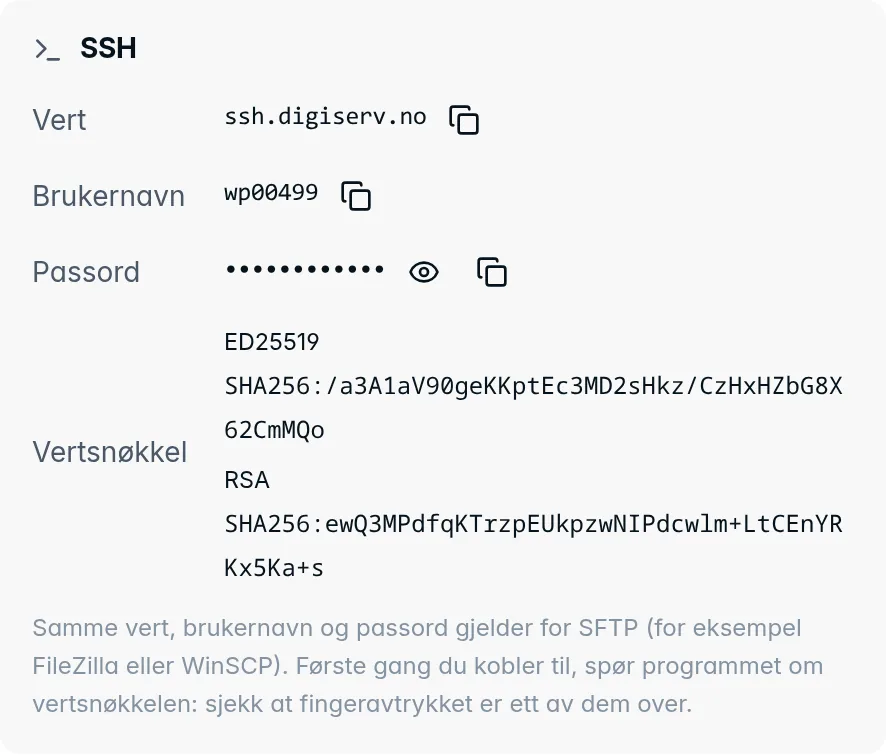
From the command line:
ssh username@ssh.digiserv.no
sftp username@ssh.digiserv.no
The host key
The first time you connect, the program asks whether you trust the host key. Check that the fingerprint is one of those listed under Host key in the Access details card, and accept it. After that, the program does not ask again.
If you used the server's name before, for example wp-app-1.agdr.no, the key is the same, so you will not get a warning.
If the login is rejected
- Check that you are using the username and password from the Access details card.
- While the web hosting account is being moved to another server, logins are blocked for a short while. Try again when the move is finished.
- After many failed logins in a short time, your address is locked out for a while. Wait an hour, or contact us.
Was this page helpful?