Operations: storage, maintenance and terminal
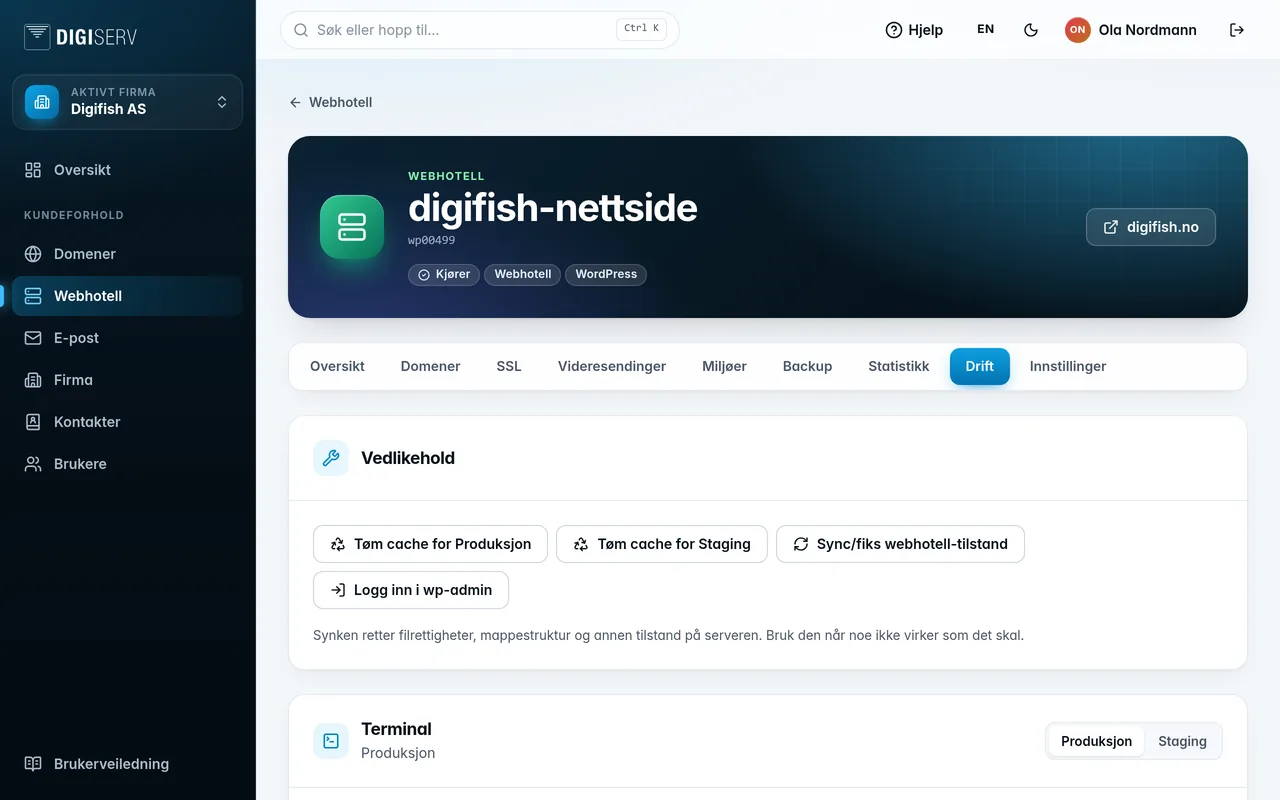
The Operations tab brings together the tools for day-to-day operations.
Storage usage
Shows how much space files and database use, compared with what the subscription covers, and when it was last measured. If usage stays above the limit, the subscription is expanded with add-on packs. Clean up to stay below it.
Maintenance
- Sync/fix web hosting state fixes file permissions, folder structure and other state on the server. Use it when something is not working as it should.
- Clear cache for Production (and for Staging) appears when the web hosting account has a cache.
- Log in to wp-admin appears for WordPress.
Terminal
Open terminal gives you a terminal in the browser for the selected environment. Close terminal ends it.
On container hosting, you also have:
- Show log: what the container has written to the log.
- Restart container: restarts the container. This causes brief downtime.
System jobs
The list shows the jobs that have run for the web hosting account, newest first, with status and duration. If a job has a log, click Show log. Logs are deleted after two weeks.
Was this page helpful?