The details page and tabs
At the top of the details page, you see the name, type and status of the web hosting account, and a button that opens the website on the primary domain. If a job is running, it is shown in a box below, and the page updates when the job is done. While a job is running, most buttons that start something new are disabled.
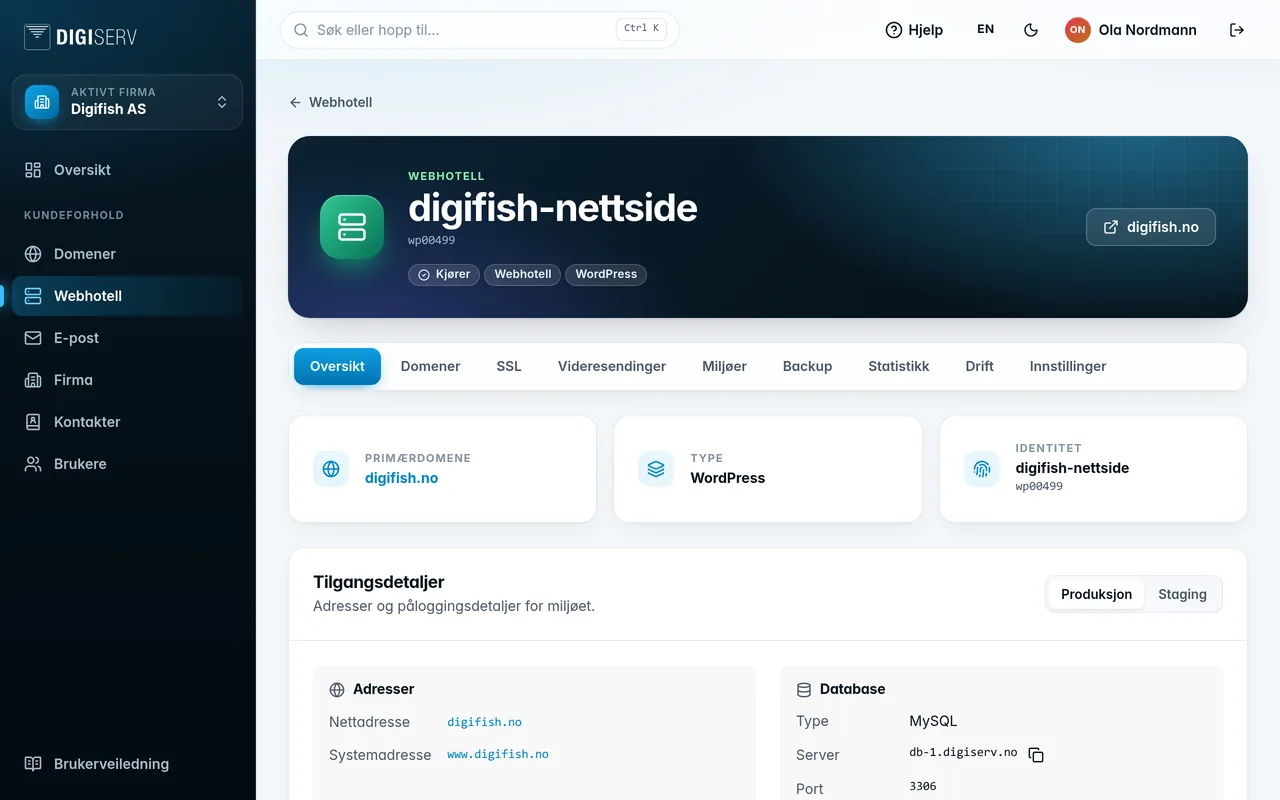
| Tab | What you do there |
|---|---|
| Overview | Addresses, database, SSH and WordPress information. |
| Domains | Primary domain, v-host or redirect per domain. |
| SSL | Certificates per domain, and your own certificates. |
| Redirects | Send addresses on to other pages or websites. |
| Environments | Staging, copying between environments, releases and Git. |
| Backup | Run backups, restore and download. |
| Statistics | Visitor numbers for the website. |
| Operations | Storage usage, maintenance, terminal and jobs. |
| Settings | Options per environment, sharing and deletion. |
Many tabs apply to one environment at a time. If the account has staging, you switch between Production and Staging with the toggle in the top right corner of the card.
Was this page helpful?