Out-of-office reply
You set up auto-replies yourself in webmail, not in the control panel.
- Log in to webmail.digiserv.no.
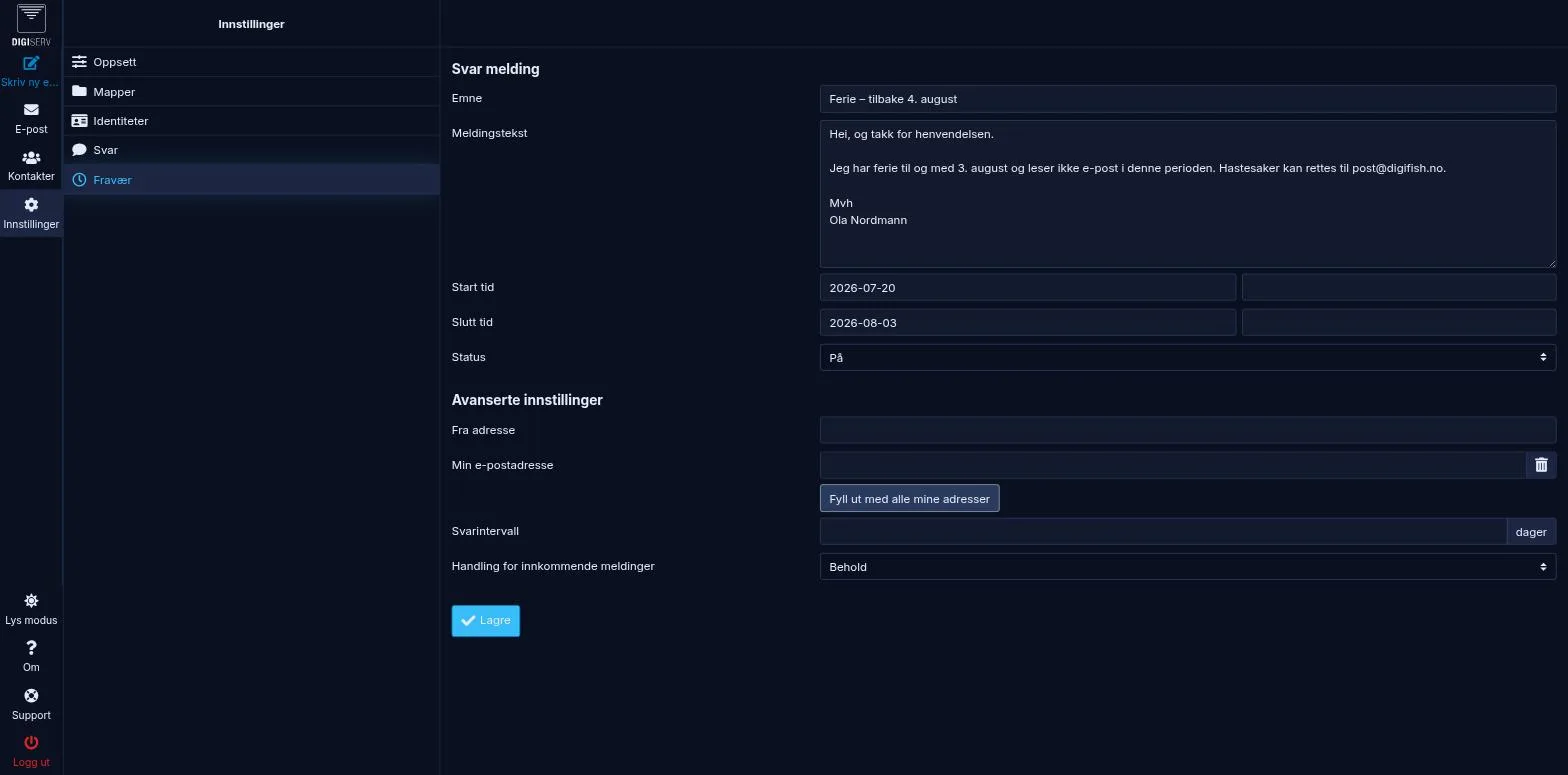
- Click Settings at the bottom of the left sidebar, and choose Out of Office.
- Fill in Subject and Body.
- Set Vacation start and Vacation end.
- Set Status to On and click Save.
Good to know
- The menu item is called Out of Office, not “Auto-reply”.
- The auto-reply can run for up to 30 days at a time.
- By default, the same sender gets one reply per week, not one per email. That keeps the auto-reply from sending out large amounts of email if you get spam. If you want a different interval, set the number of days under Advanced settings.
- Incoming message action should be set to Keep. That way the email is delivered as normal, and the auto-reply is sent as well.
- Forwarding that your administrator has set up works independently of the auto-reply.
- Turn it off by setting Status to Off and saving.
Was this page helpful?