Owner, name servers and security
The Registrar tab shows what the domain registry has on record for the domain.
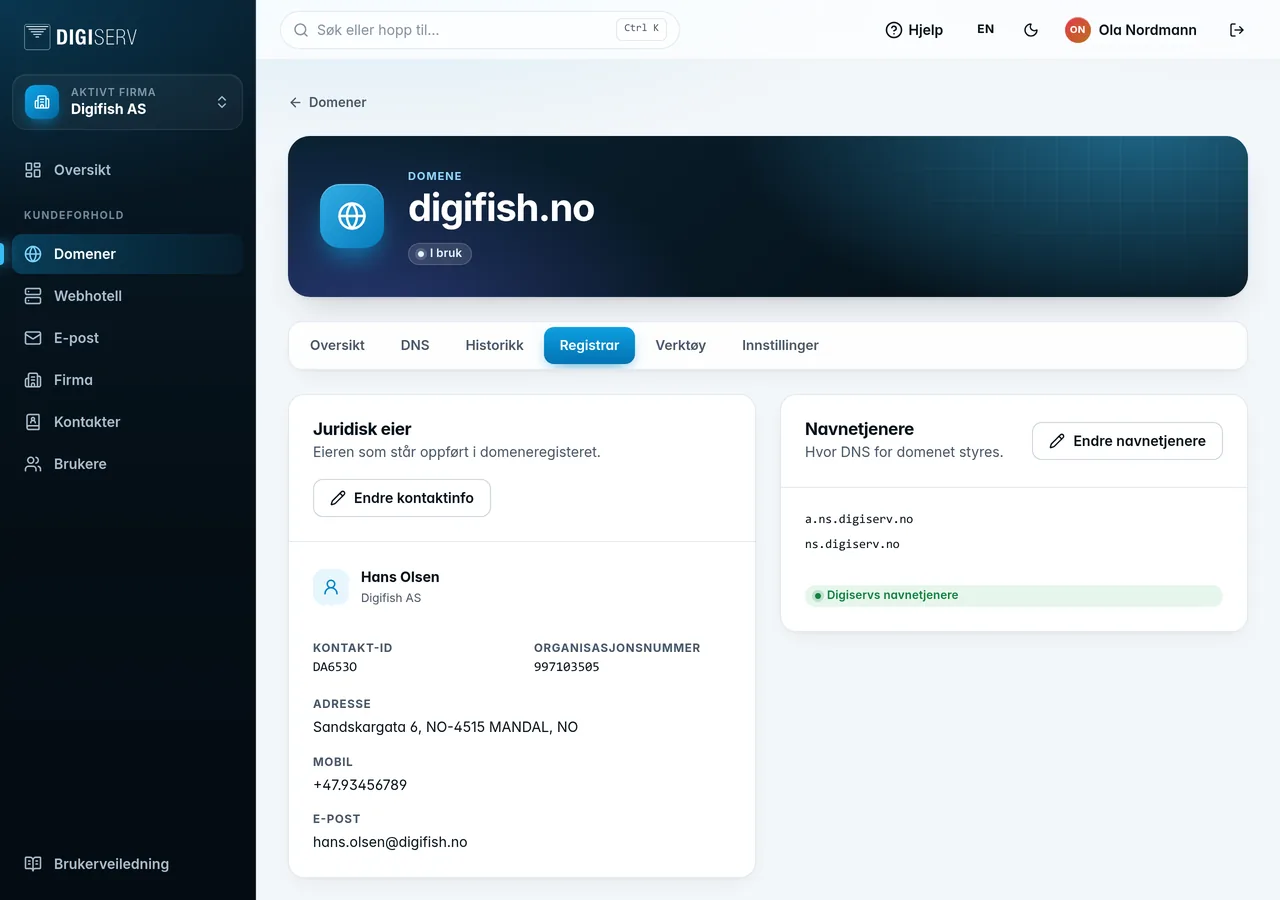
Legal owner
This shows the owner as listed in the registry: name, contact ID, organization number, address, phone and email. Click Edit contact details to change the name, address, country, phone, mobile or email. The country is entered as a two-letter country code, for example NO. The change is sent to the registry.
The organization number cannot be changed here. If the domain is to go to a different owner, use a change of ownership (see below). Private individuals with a .no domain have their own P.ID with Norid, which they manage themselves at pid.norid.no.
Name servers
The card shows the name servers the domain uses, and whether they are ours or others.
- Click Change name servers.
- Fill in at least two name servers. There is room for five. Click Use Digiserv name servers to fill in ours.
- Click Save.
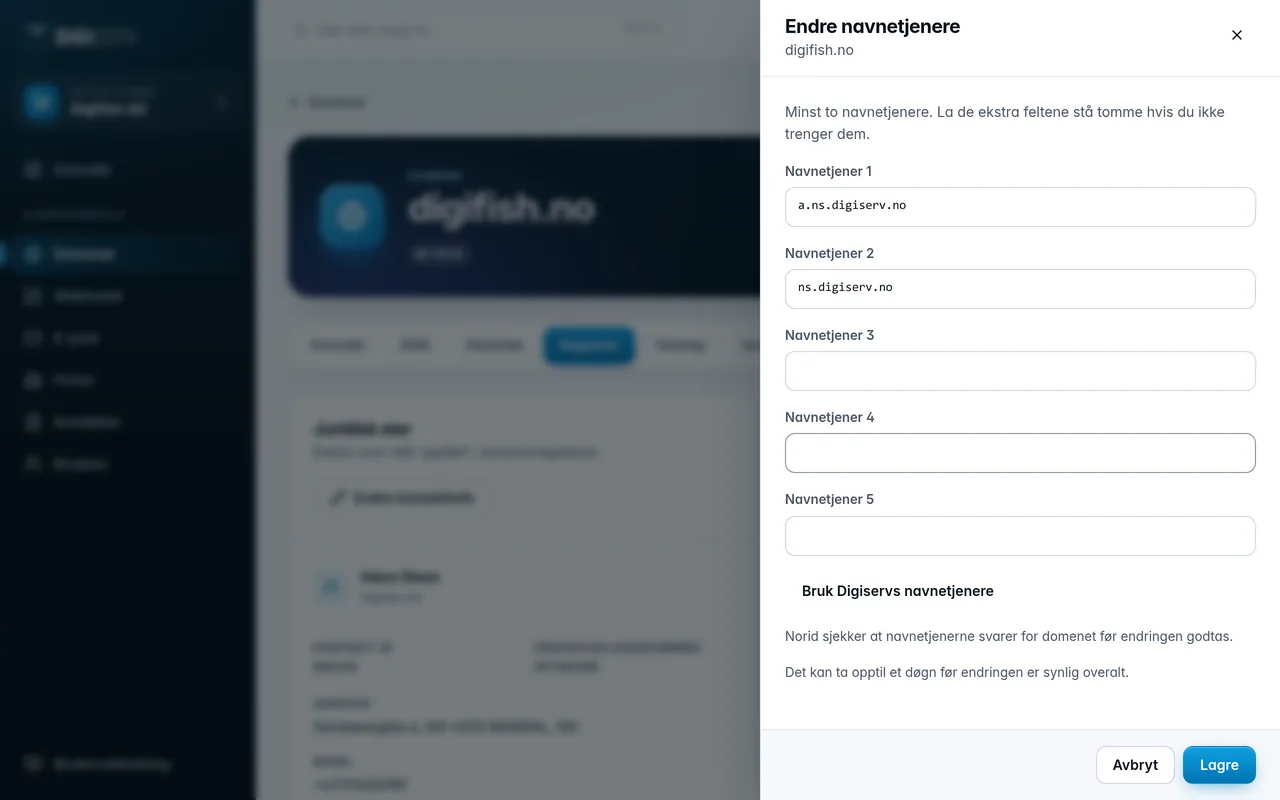
For .no domains, Norid checks that the name servers respond for the domain before the change is accepted. It can take up to 24 hours before the change is visible everywhere.
Security
- Authorization code (EPP code): needed when the domain is to be transferred to another registrar. Click Show the code and then Copy.
- DNSSEC: signs the DNS responses, so no one can forge them. Turn the toggle on or off and confirm. When you turn it on, we sign the zone and send the key to the registry. This takes a few minutes. If the domain uses other name servers, DNSSEC must be set up there.
- Transfer lock: prevents the domain from being transferred to another registrar until the lock is removed. Not available for .no domains.
Change of ownership
A change of ownership transfers the domain to a new legal owner.
- Click Start transfer.
- Choose Company and enter the organization number. The company is looked up automatically once you have entered nine digits. If the new owner is a person, choose Private person and enter the full name, and for .no domains preferably the Norid P.ID.
- The fee is shown at the bottom of the drawer. Click Order transfer.
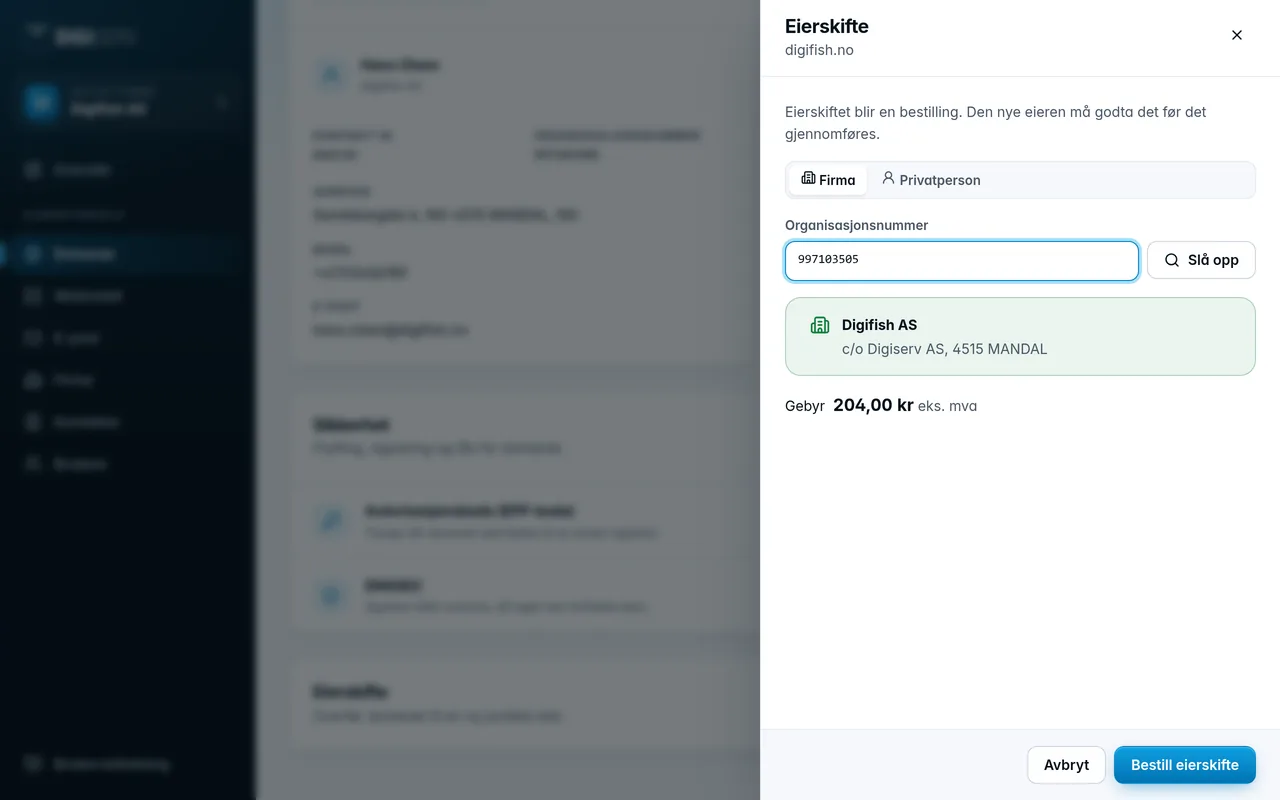
The change of ownership becomes an order, and you are taken to the order page. The new owner must accept the change of ownership before it goes through.