Find the DNS records
- Go to Domains in the menu and click the domain.
- Choose the DNS tab.
You see all the records in the zone, sorted by type. Each row shows the type, the name, the value and the time to live (TTL). The name @ means the domain itself.
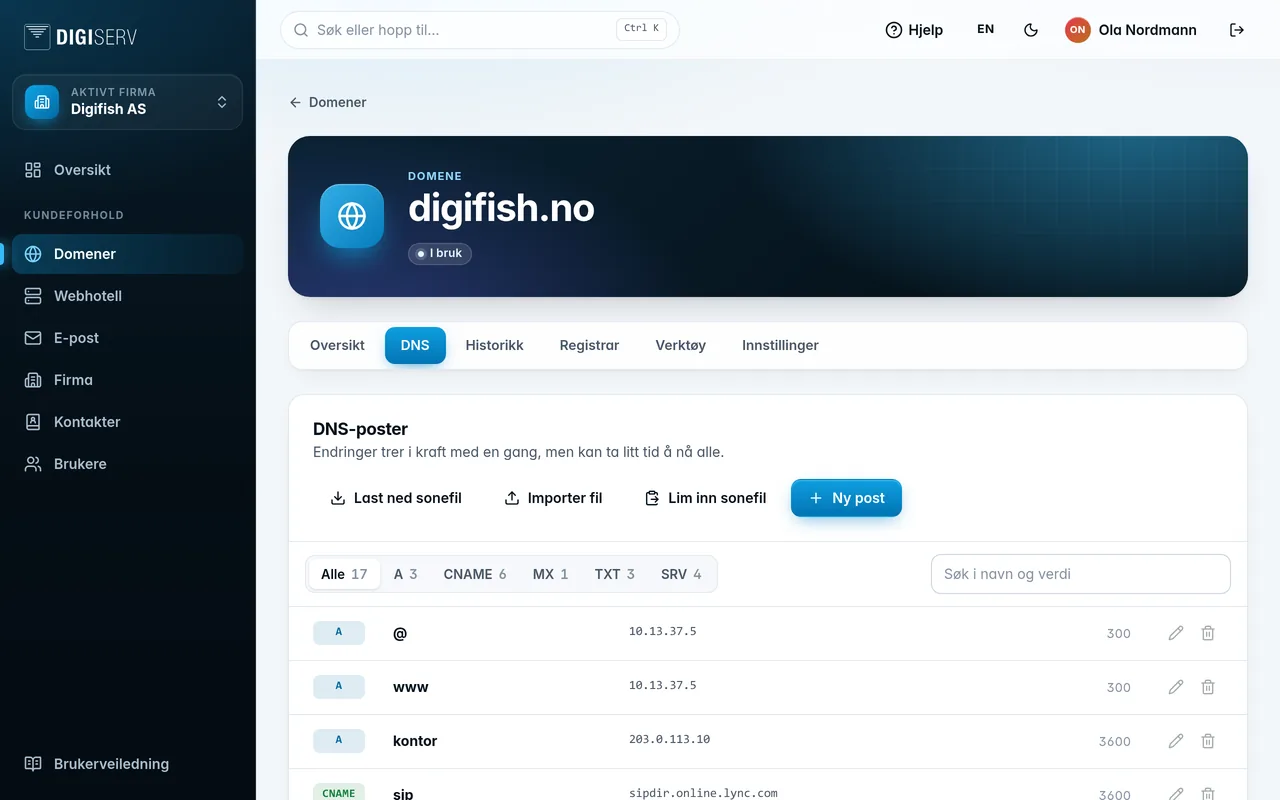
- The buttons above the list filter by type. The number shows how many records there are of each type.
- Type in Search names and values to find a specific record.
If the domain has been shared with you, you can change DNS the same way as the owner. See Shared with me.
Was this page helpful?