Dynamic DNS (DynDNS)
Dynamic DNS lets a router or server update an A or AAAA record by itself when the IP address changes. This is useful for an office or a cabin without a fixed IP address, for example. Dynamic DNS is only available when DNS is with us, and is found under the Tools tab.
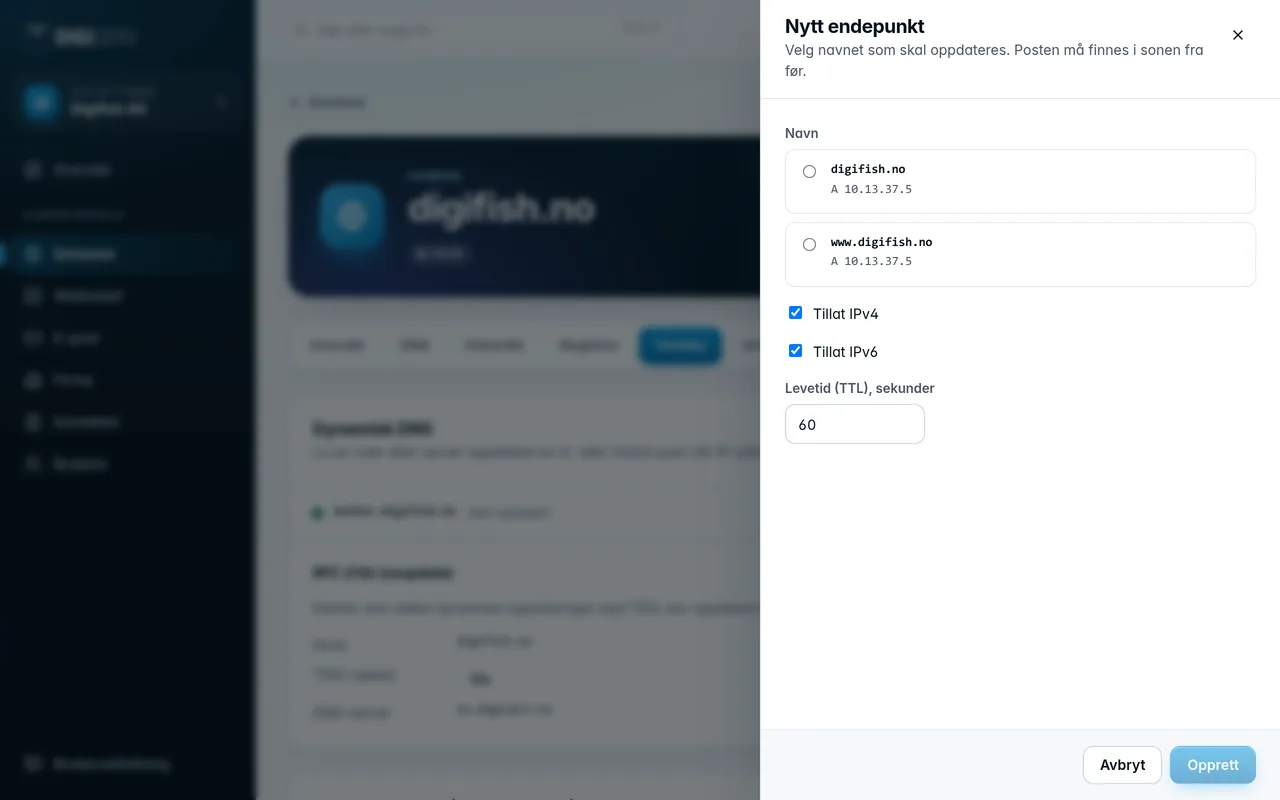
- First create an A or AAAA record for the name under the DNS tab, for example
office. - Go to Tools and click New endpoint.
- Choose the name under Name. The list shows the names that have an A or AAAA record.
- Choose Allow IPv4 and/or Allow IPv6, and set the time to live. The default is 60 seconds.
- Click Create.
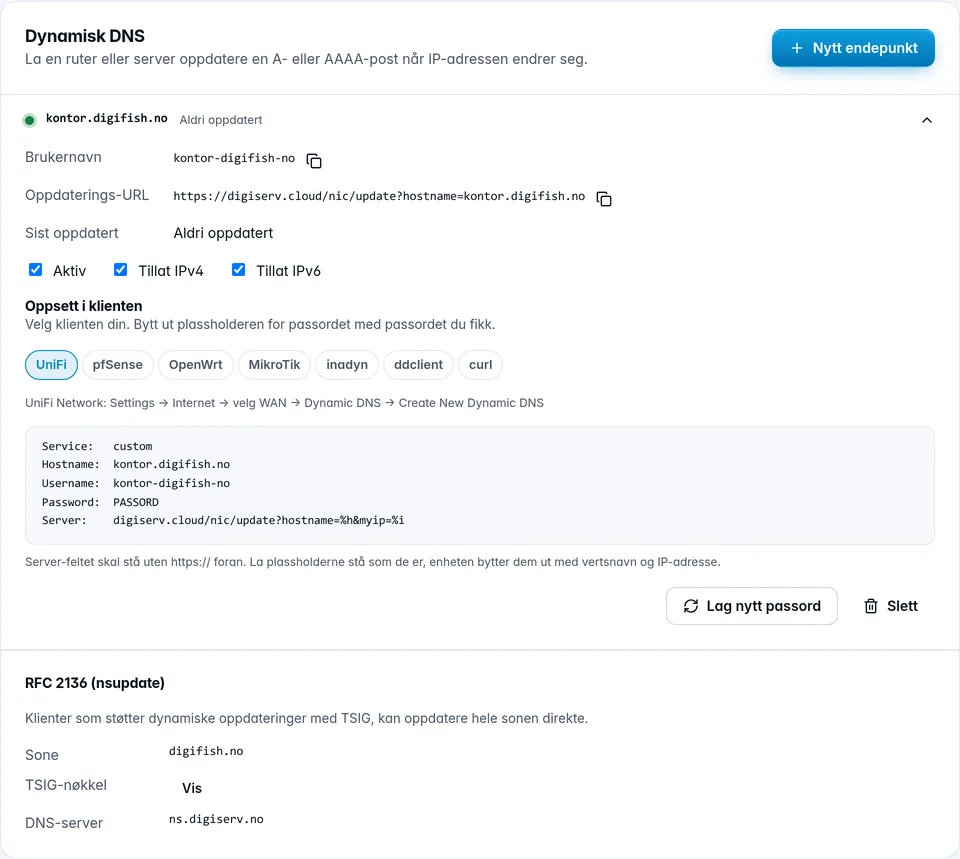
Click an endpoint to see the details:
- Username and Update URL, which the client needs.
- Last updated and the IP addresses the endpoint last received.
- Failed logins, if someone has tried with the wrong password.
- Checkboxes for Active, Allow IPv4 and Allow IPv6. Changes are saved immediately.
Under Client setup, you find ready-made configurations for UniFi, pfSense, OpenWrt, MikroTik, inadyn, ddclient and curl. Replace the password placeholder with the password you were given. The curl test responds good or nochg when the update succeeded.
At the bottom of the card is RFC 2136 (nsupdate). It is for clients that can update the whole zone directly with a TSIG key. Click Show to see the key.
Was this page helpful?