Add a record
- Click New record.
- Choose the type under Type.
- Enter the name in Name. Only enter the part before the domain, for example
www,shopor_dmarc. Leave the field empty, or enter@, when the record should apply to the domain itself. - Fill in the value. The fields change depending on the type you have chosen (see the table below).
- Check Time to live (TTL), seconds. The default is 3600 (1 hour). The buttons 5 min, 1 hour and 1 day fill in common values.
- Click Save.
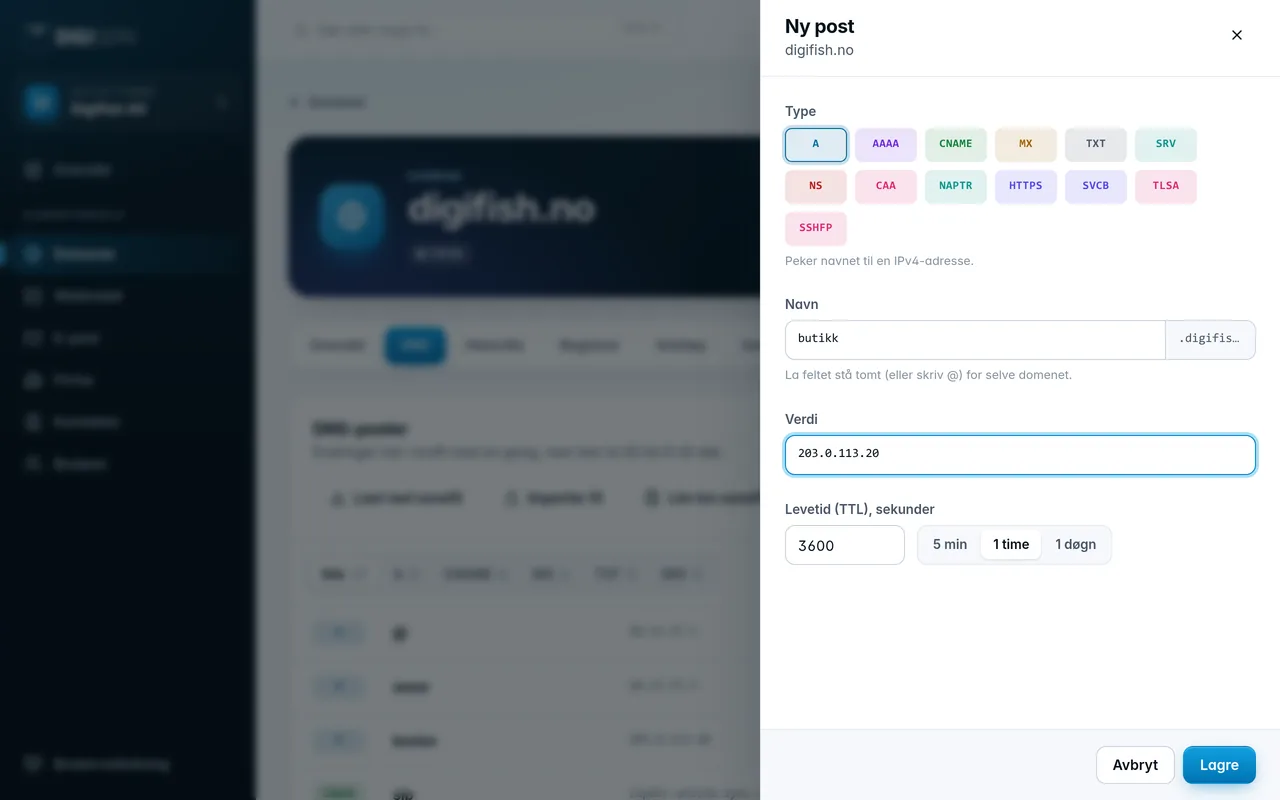
The name is combined with the domain. For digifish.no, an empty name becomes digifish.no, www becomes www.digifish.no and _dmarc becomes _dmarc.digifish.no. So do not enter the full domain name in the field.
Changes take effect immediately on our name servers. Other DNS servers may still remember the old answer until the time to live (TTL) of the old record has run out.
Was this page helpful?