The overview
After logging in, you come to Overview. At the top is the company you're working for, under You are working as.
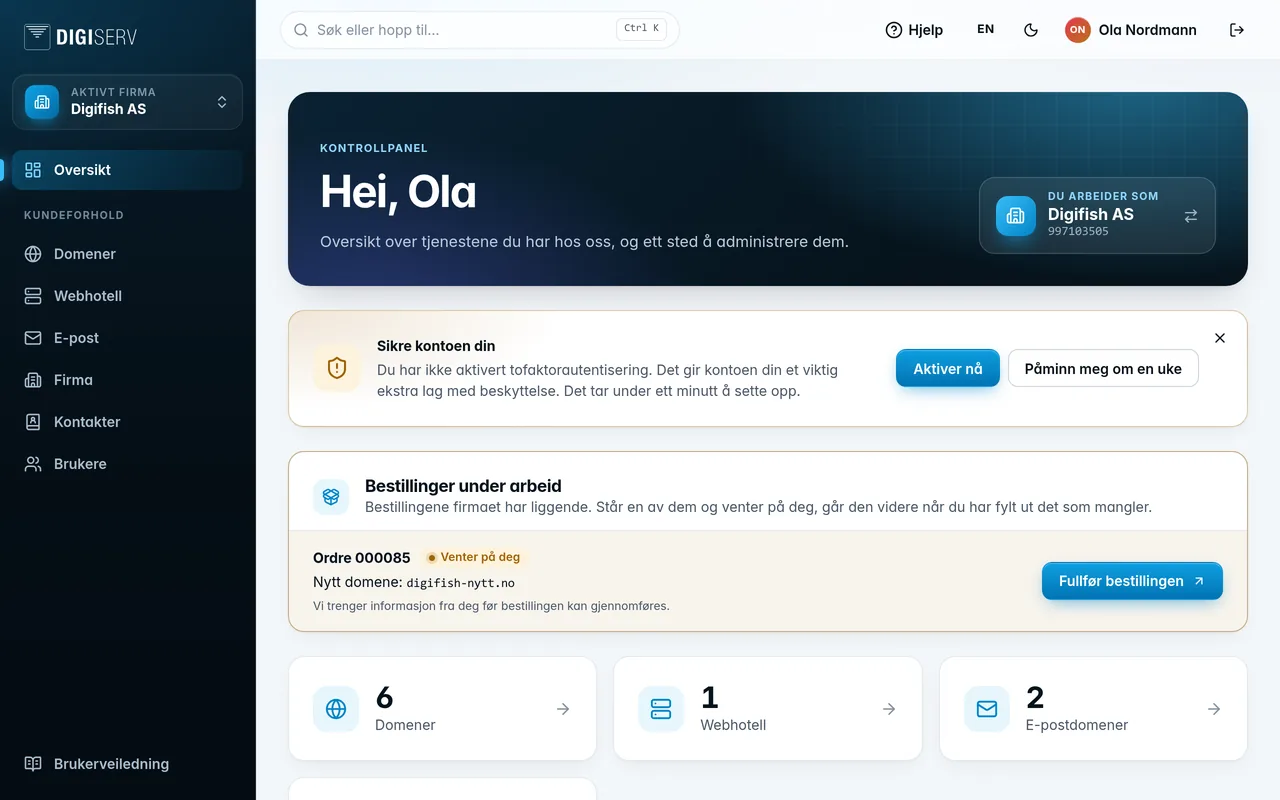
- The numbers show how many domains, web hosting accounts, email domains and users the company has. Click a number to go to the list.
- Orders in progress appears when the company has an order that isn't finished. If it says Waiting for you, we need something from you before the order can move forward. See Orders and cart.
- Shortcuts are the same pages as in the menu, with a short explanation of each.
If you haven't turned on two-factor authentication, you'll see the Secure your account card. Click Enable now to set it up, or Remind me in a week.
Was this page helpful?