Help, tour and user guide
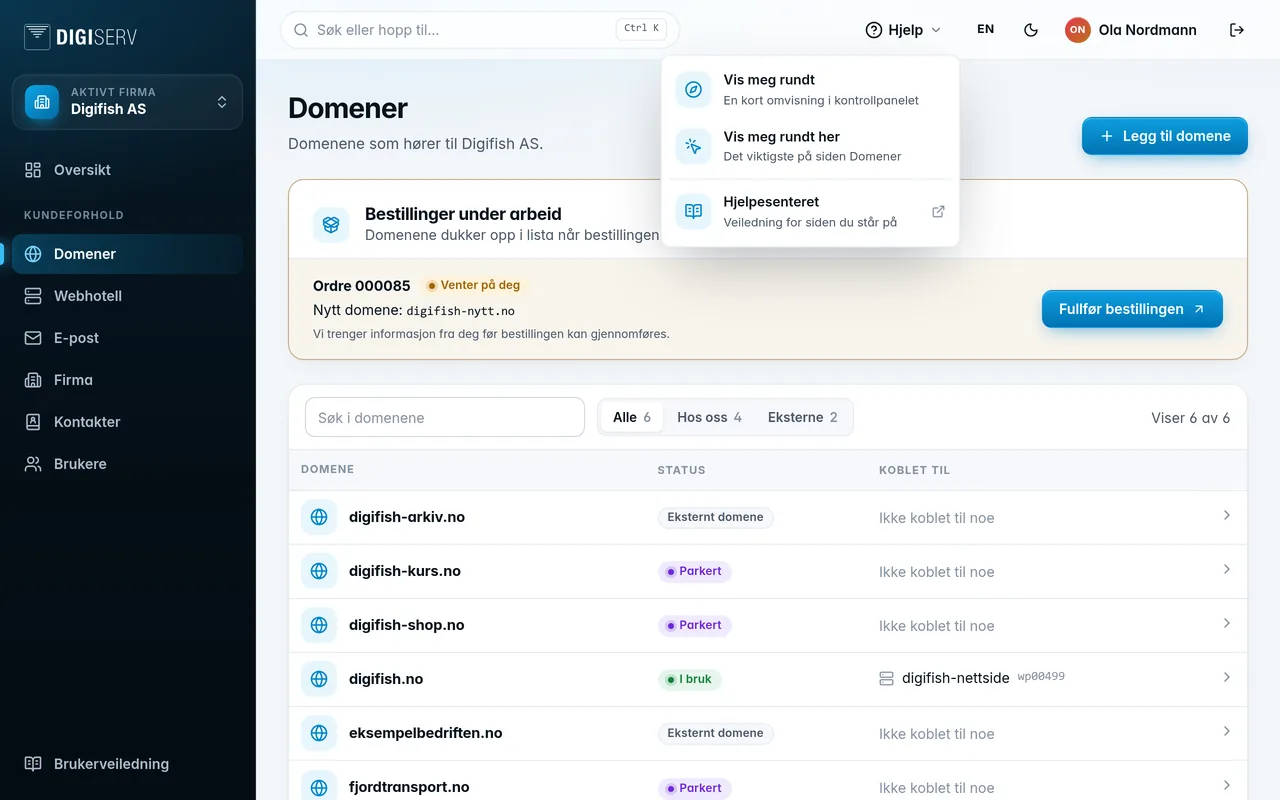
The Help button at the top right opens a small menu:
- Show me around: a short tour that shows the most important parts of the panel and where to find them.
- Show me around here: the most important things on the page you're on, for example Domains, Web hosting or Email. This option is only available on pages that have such a tour.
- Help centre: the guide for the page you're on. If there's no specific guide for that page, you come to the front page of the user guide. You can also reach it from User guide at the bottom of the menu.
The tour
The first time you log in, you're offered a short tour. It highlights the most important parts of the panel one by one, with a short explanation. What it shows depends on what you have access to.
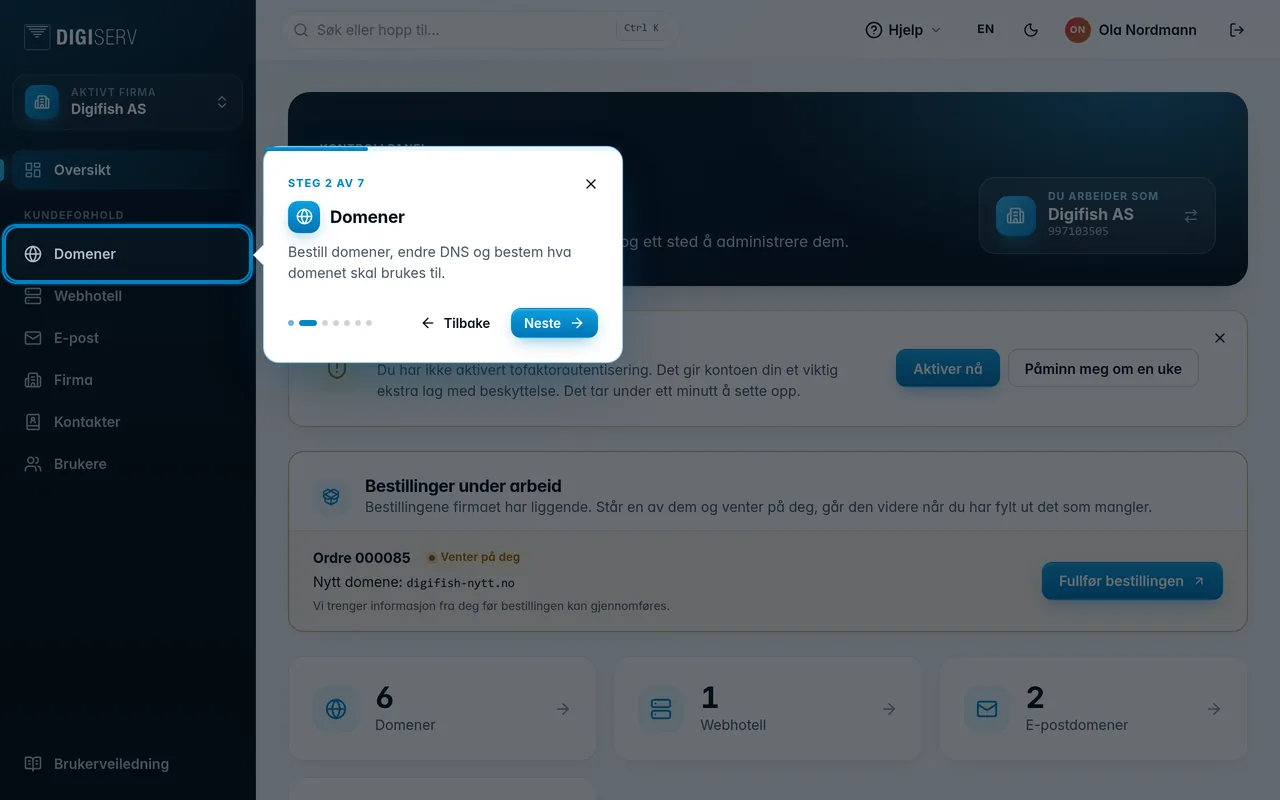
- Next and Back move through it. The arrow keys work too.
- Not now, the X or Esc ends it. You can find the tour again under Help.
- The first time you open certain pages, such as Domains, Web hosting and Email, you get a couple of tips about the page.
When something new comes to the panel, or you get access to more, for example another company, the tour shows only what's new, marked New for you.
Was this page helpful?