Share one service with a contract developer
If a web agency or consultant needs access to one domain, one web hosting account or one email service, you can share exactly that. They do not join the company and see nothing else.
- Open the service from Domains, Web hosting or Email, and go to the Settings tab.
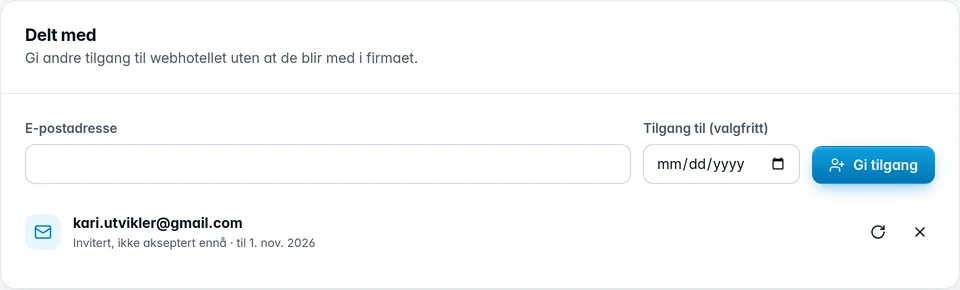
- Find the Shared with card, and enter the email address under Email address.
- Optionally, choose a date under Access until (optional). Access then lasts until the end of that day.
- Click Give access.
How the invitation works
- If the person already has a user with us, they get access straight away and an email about it. The panel says Access granted.
- If the person has no user, an invitation is sent by email. The panel says The invitation is sent. The person clicks the link, chooses a name and password, and is then signed in with access to the service. The link is valid for 14 days.
The card shows who has access, and invitations that are pending (Invited, not accepted yet). For a pending invitation, you can send it again or withdraw it. The cross next to a person (Remove access) removes their access.
A colleague who is already a member of the company does not need sharing. If you try, the panel replies The person is already a member of the company.
What the other person gets access to
The person you share with finds the service under Shared with me and can work with it on the same page as you. They cannot:
- delete the service, cancel it or change the subscription
- transfer the domain to another registrar, see the authorization code or change the owner
- delete accounts, aliases or lists in email, or upgrade storage
- share the service further with others
- order anything on behalf of the company
More about how it looks for the other person is in Shared with me.
Was this page helpful?