Users in the company
Under Users in the menu, you can see who can sign in on behalf of the company. The list shows name, email, role, whether two-factor is turned on, and when the user last signed in.
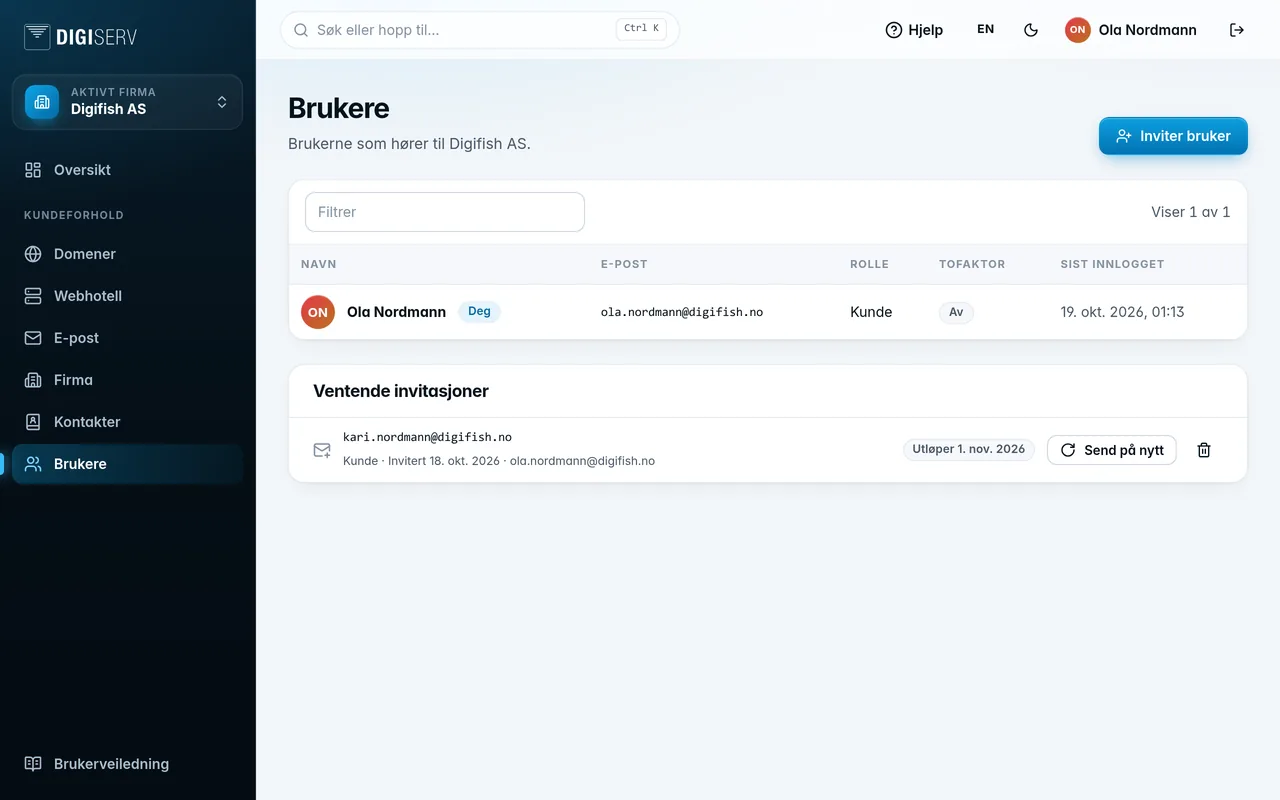
The badges next to the name mean:
- You: this is you.
- Deactivated: the user cannot sign in.
- Locked: the account is temporarily locked after too many failed sign-in attempts. The lock lifts by itself, or when a new password is set.
The filter field above the list searches names and email addresses.
Was this page helpful?