Contact and billing
The Contact and billing card determines who we contact, and how your invoice is sent.
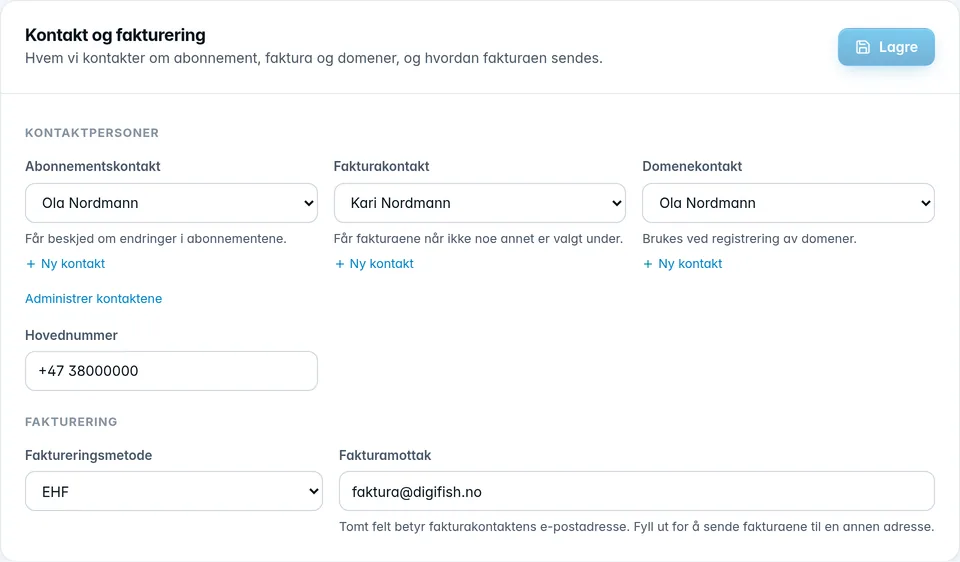
Contact persons
The company has three roles. Each role points to one of your contacts:
| Role | Used for |
|---|---|
| Subscription contact | Is notified about changes to the subscriptions. |
| Invoice contact | Receives the invoices when nothing else is set under Invoice recipient. |
| Domain contact | Used when registering domains. |
Choose the contact in the list under each role. If the person isn't there, click New contact under the role. The new contact is then placed straight into the role. The same person can have several roles.
If a contact who has a role has been deleted, it's shown with “(deleted)” and a warning. Choose an active contact for the role.
Main number and billing
- Main number is the company's phone number. The field is required.
- Invoice method is either EHF (electronic invoice straight into your accounting system) or Email (PDF by email).
- Invoice recipient is the address the invoices are sent to. If the field is empty, invoices go to the invoice contact's email address. The address used then is shown faintly in the field.
Click Save when you're done. Everything in the card is saved together. If you change your mind, click Undo before you save.
Was this page helpful?