Addresses
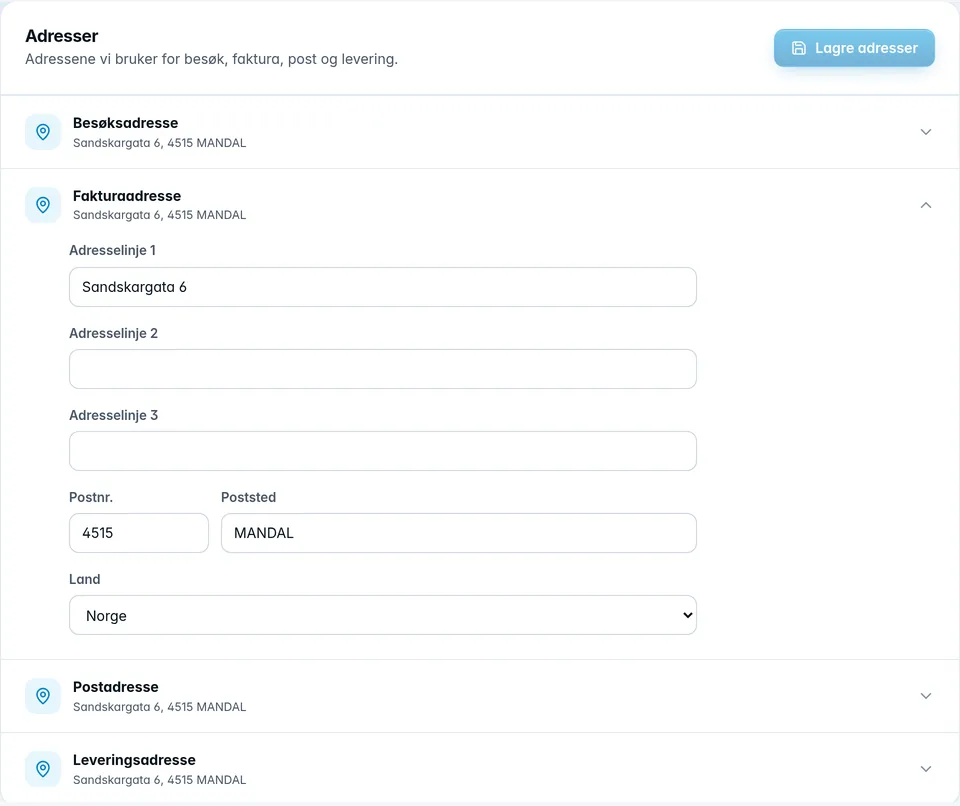
The Addresses card has four addresses: Visiting address, Invoice address, Postal address and Delivery address. Each one shows a short summary, or Not filled in.
- Click the address you want to change, and the fields open.
- Fill in the address lines, Postal code, City and Country.
- Click Save addresses at the top of the card.
The delivery address also has a GLN field, a global location number for deliveries (13 digits). It's optional.
To remove an address, clear all its fields and save. An address with all fields empty is removed.
Was this page helpful?