The cart
When there is something in the cart, you see a cart icon with the number of items in the top right corner. Click it to open Cart. From the domain search, you get there with Go to checkout.
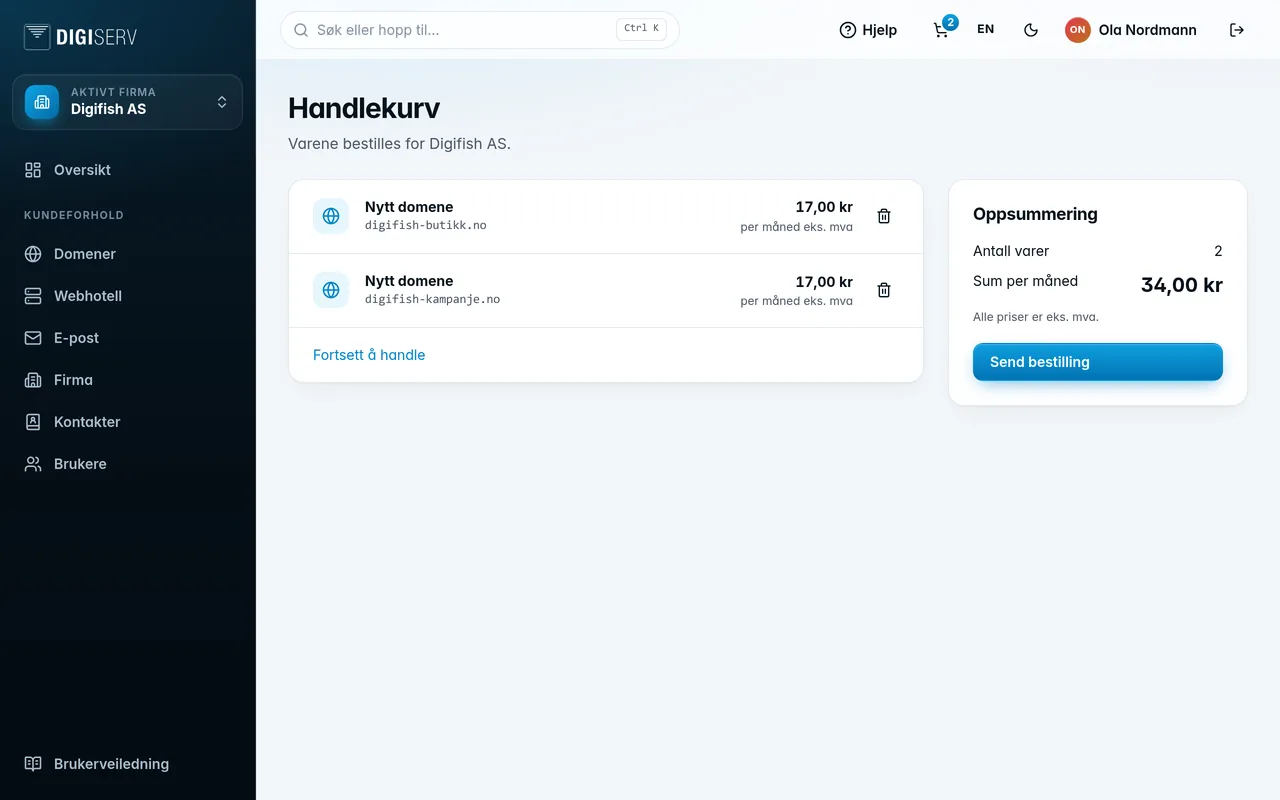
- Each line shows what is being ordered, for which domain, and the price per month.
- The trash can (Remove) takes a line out of the cart.
- Continue shopping takes you back to the domain search.
- Summary shows Items and Total per month. All prices are excl. VAT.
A domain can only be in the cart once. If the company already has an unfinished order for the domain, you are told so instead of ordering it again. See “Find your order again” further down.
Was this page helpful?